| Schumacher PSW-22, PSW-2035, PSW-2550, PSW-3060 & PSW-61224 Troubleshooting Guide |
| PROBLEM | POSSIBLE CAUSE | SOLUTION |
| No reading on the ammeter. | Charger is not plugged in. | Plug the charger into an AC outlet. |
| No power at the receptacle. | Check for open fuse or circuit breaker supplying AC outlet. |
| Clips are not making a good connection to the battery. | Check for poor connection to battery and frame. Make sure connection points are clean. Rock clips back and forth for a better connection. |
| Connections are reversed. | Unplug the charger and reverse the clips. |
| Battery is defective (will not accept a charge). | Have battery checked. |
| 1.5, 2, 4 or 5 amp charge rate is being used. | Ammeter may show no activity at the 1.5A, 2A, 4A or 5A charge rate. |
| Ammeter reading stays high. | Battery is severely discharged. | Continue charging battery for two more hours. If problem continues, have the battery checked. |
| Wrong battery voltage. | Verify the voltage settings on the charger are correct. |
| Ammeter reads less than selected charge rate when charging a discharged battery. | Extension cord is too long or wire gauge is too small. | Use a shorter or heavier gauge extension cord. |
| Weak cell or sulfated plate in battery. | A sulfated battery will eventually take a normal charge if left connected. If the battery will not take a charge, have it checked. |
| Battery is only partially discharged. | Continue to charge the battery. |
| The charger is making an audible clicking sound. | Circuit breaker is cycling. | The settings may be wrong. Check the charger settings. |
| Battery is defective. | Have the battery checked. |
| Shorted battery cables or clips. | Circuit breaker cycles when current draw is too high. Check for shorted cables or clips and replace if necessary. |
| Severely discharged battery, but otherwise it is a good battery. | The battery may not want to accept a charge due to a run-down state. Allow charging to continue until battery has a chance to recover sufficiently to take a charge. If more than 20 minutes, stop charging and have the battery checked. |
| Reverse connections at battery. | Shut the charger off and correct the lead connections. |
| Charger makes a loud buzz or hum. | Transformer laminations vibrate (buzz). | No problem; this is a normal condition. |
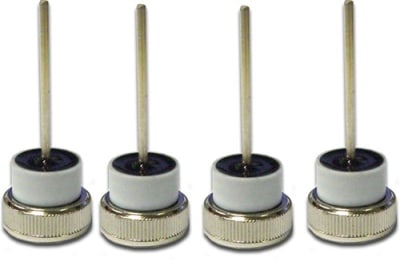
| Shorted Diode Assembly or Output Rectifier Assembly (hum). | Have charger checked by a qualified technician. |
| Short or no start cycle when cranking engine. | Drawing more than the charger’s rated amps. | Crank time varies with the amount of current drawn. If cranking draws more than the charger’s rated amps, crank time may be less than 3 seconds. |
| Failure to wait 3 minutes (180 seconds) between cranks. | Wait 3 minutes of rest time before the next crank. |
| Clips are not making a good connection. | Check for poor connection at battery and frame. |
| AC cord and/or extension cord is loose. | Check power cord and extension cord for loose fitting plug. |
| No power at receptacle. | Check for open fuse or circuit breaker supplying AC outlet. |
| The charger may be overheated. | The thermal protector may have tripped and needs a little longer to reset. Make sure the charger vents are not blocked. Wait and try again. |
| Battery may be severely discharged. | On a severely discharged battery, charge for 10 to 15 minutes in the manual charge rate to help assist in cranking. |
| Charger will not turn on when properly connected. | AC outlet is dead. | Check for open fuse or circuit breaker supplying AC outlet. |
| Poor electrical connection. | Check power cord and extension cord for loose fitting plug. |
| The battery is connected and the charger is on, but is not charging. | Clips are not making a good connection. | Check for poor connection at battery and frame. Make sure connecting points are clean. Rock clips back and forth for a better connection. |
| Schumacher User Manual Link |